On this page
- Why auto-replying to comments moves sales
- How Facebook comment auto-reply works
- Public reply versus private message
- Step by step: setting up comment automation in Tawwan
- 1. Connect your Facebook Page or Instagram account
- 2. Create a comment automation campaign
- 3. Define keyword rules
- 4. Filter negative comments and spam
- 5. Continue the conversation with a flow or an AI agent
- 6. Watch the numbers and refine the replies
- Ready-made reply templates you can copy
- Common mistakes to avoid
- Frequently asked questions
- Does Facebook allow automatic replies to comments?
- Does it work on Instagram ad comments?
- Does the customer have to reply before I can message again?
- How many comments can automation handle?
- Do I need a developer?
- Conclusion
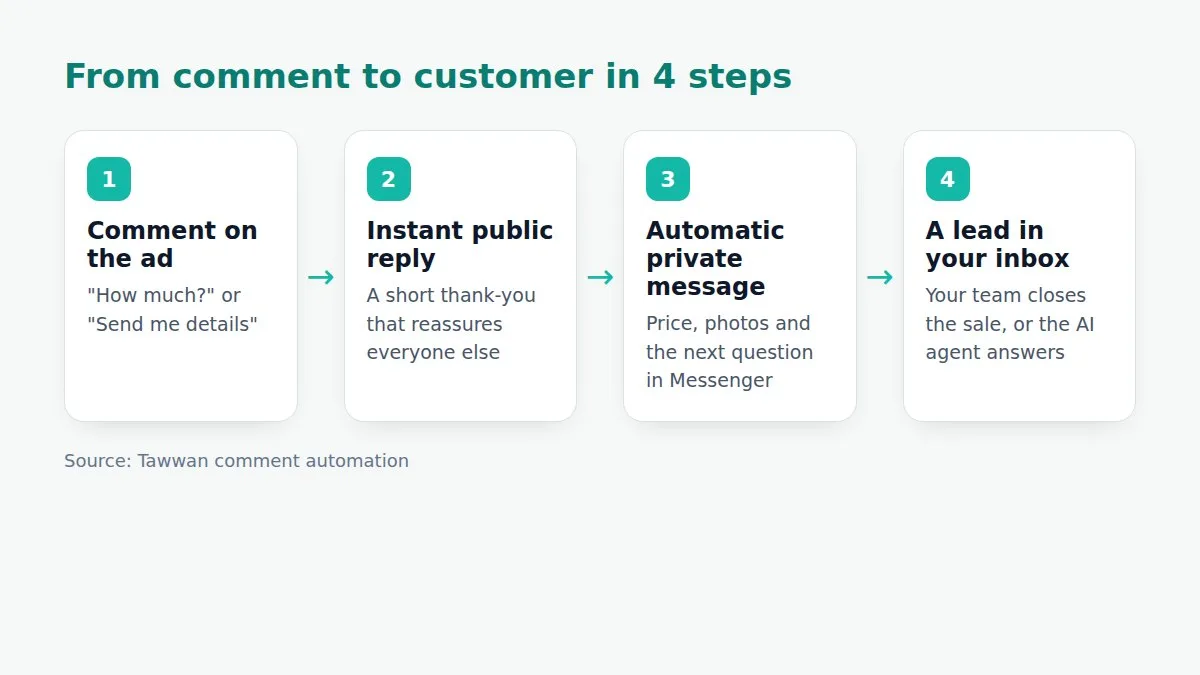
If you run ads on Facebook or Instagram you know the scene: the ad is live, comments pour in ("How much?", "Send me details", "Still available?"), and your team answers an hour or two later, or forgets. Every one of those comments was a customer ready to buy the moment they typed it, and with every minute of silence they drift to a competitor who answers faster.
This guide explains, step by step, how to set up a Facebook comment auto-reply that answers the commenter within seconds, sends them a private message with the price and details, and turns the comment into a conversation your team can finish in one inbox. We use comment automation in Tawwan as the worked example, but the principles apply to any tool.
Why auto-replying to comments moves sales
A comment on an ad is the strongest buying signal on social media. The person saw the product, got excited and asked in public. E-commerce data consistently shows conversion dropping sharply after the first few minutes without a reply, because the customer keeps scrolling and finds an alternative.
- Speed: a reply in seconds instead of hours keeps the customer's excitement alive.
- Privacy: prices and offers go out in a private message, so competitors never see your pricing and the commenter lands in a one-to-one conversation.
- Social proof: a polite public reply under every comment makes the ad look alive and attended, which encourages others to ask.
- Scale: a winning ad can attract hundreds of comments a day. No team can answer them by hand at the same quality.
How Facebook comment auto-reply works
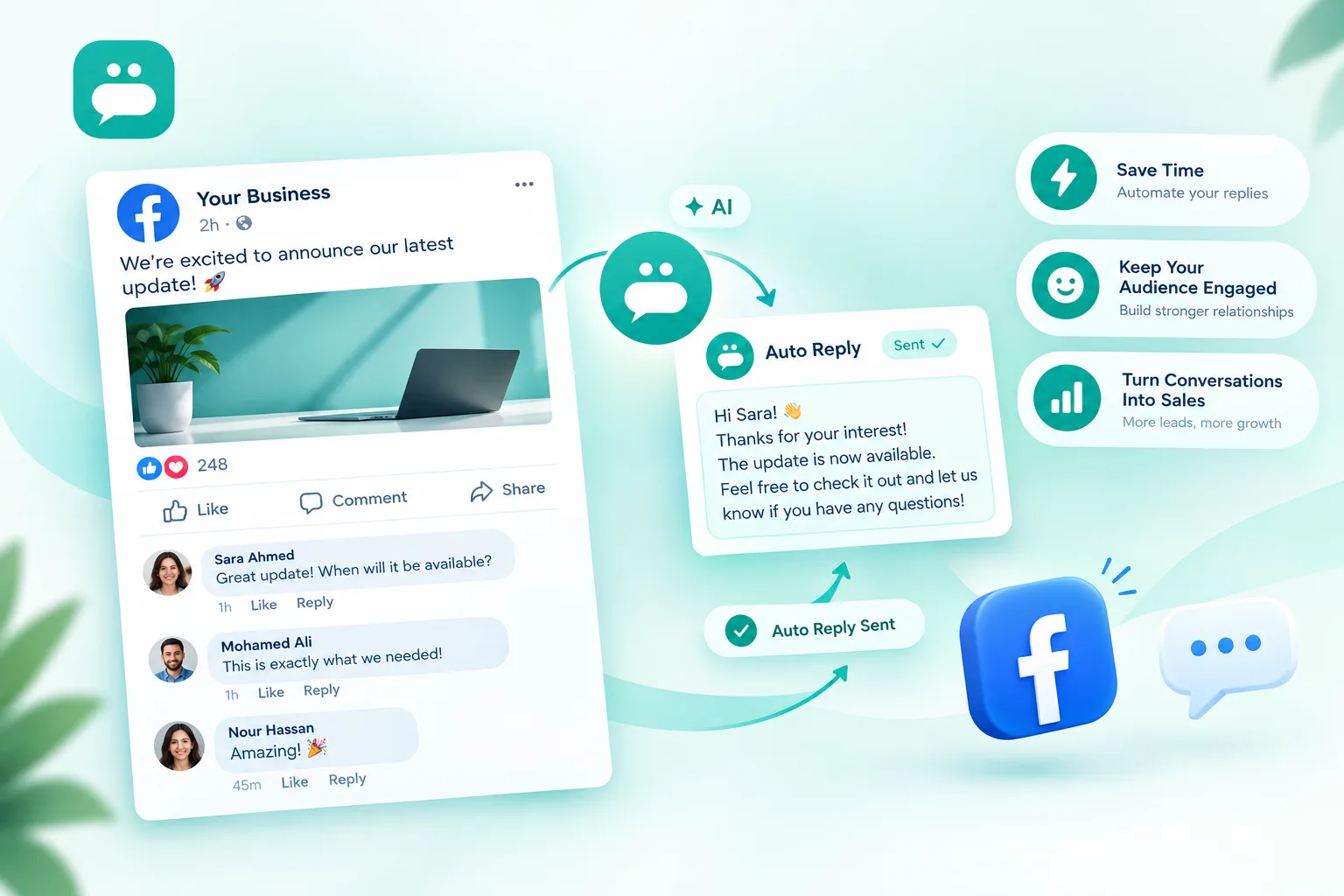
Facebook lets apps connected to your Page receive a notification for every new comment on your posts and ads, answer it with a public reply, and send the commenter one private message on Messenger as a reply to that comment (the official feature is called Private Replies). If the customer answers the private message, a normal conversation starts that you can continue at any time.
The tool you use sits in the middle: it receives the comment, reads its text, picks the right reply and performs those steps automatically within seconds.
Public reply versus private message
| Type | Who sees it | Use it for |
|---|---|---|
| Public reply | Everyone who views the ad | A short thank-you, "we sent you a message", answers to general questions |
| Private reply | The commenter only | Price, offers, photos, asking for a size or an address |
Step by step: setting up comment automation in Tawwan
1. Connect your Facebook Page or Instagram account
Under "Connected accounts" click "Connect Facebook", choose the Page and approve the permissions. Tawwan then receives the Page's comments and messages in one inbox together with WhatsApp and Telegram. Connecting takes two minutes and needs no code.
2. Create a comment automation campaign
In "Comment automation" create a campaign and choose which posts or ads it covers: one specific post, all posts, or new posts automatically. The last option is handy when you publish many ads.
3. Define keyword rules
List the words that usually show up in comments: "price", "how much", "available", "details", "shipping". For each group of words set:
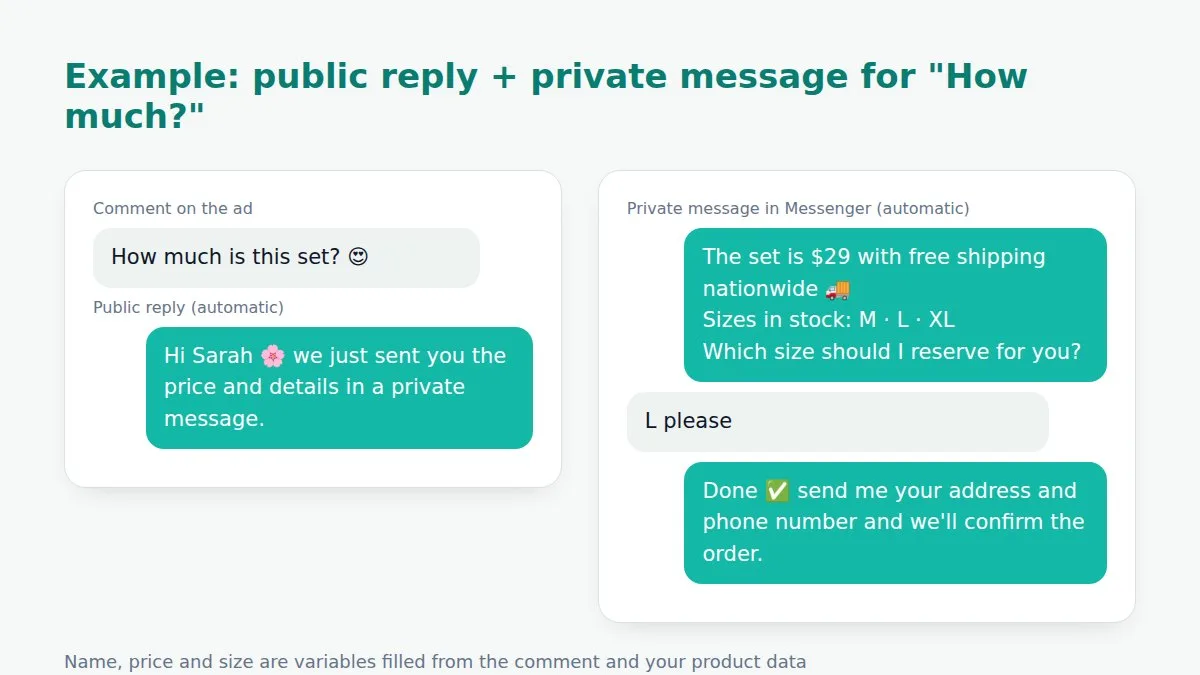
- a public reply, short and polite, for example "Hi {{first_name}} 🌸 we sent you the details in a private message";
- a private message with the price, photos and a question that moves the customer to the next step: "Which colour should I reserve for you?";
- a default reply for comments that match none of your words, so nobody is left without an answer.
Variables such as the first name and the comment text are filled in automatically, so the reply reads personal rather than robotic.
4. Filter negative comments and spam
Every successful ad attracts spam and competitors. Define words or patterns (links, phone numbers, insults) so the campaign hides the comment or alerts your team instead of replying. This protects the ad's appearance and your budget, because negative comments lower the conversion rate for everyone else who sees them.
5. Continue the conversation with a flow or an AI agent
After the private message the customer usually asks a second question: the size, shipping to their city, payment options. That is where the real conversation begins. In Tawwan you can attach a flow to the campaign that asks specific questions and records the order, or an AI agent trained on your products that answers any phrasing in Arabic or English and hands over to a person when needed.
6. Watch the numbers and refine the replies
After a week open the campaign dashboard: comments received, the share that turned into conversations, and the orders recorded. You will usually find that rewording the private message (a clear question at the end instead of "contact us for details") lifts the reply rate noticeably.
Ready-made reply templates you can copy
Public reply to a price question: "Hi {{first_name}} 💚 the prices and details are in your private messages right now."
Private message: "Hi {{first_name}}! {{product}} is available for {{price}} and shipping is {{shipping}}. Sizes in stock: {{sizes}}. Which size should I reserve for you?"
Reply to "available?": "Available ✅ and we ship nationwide. We just sent you how to order in a private message."
Default reply: "Thanks for your interest {{first_name}} 🙏 all the details are in your private messages and our team is ready to help."
Common mistakes to avoid
- A long public reply that includes the price: you hand competitors your pricing and lose the private-message opportunity.
- The same literal reply to every comment: Facebook may treat it as spam and customers feel it is robotic. Use variables and vary the wording.
- No human follow-up: automation opens the conversation, but a customer who asks something off-script needs a person to answer within a reasonable time. Turn on handover notifications.
- Ignoring older posts: ads that have been running for weeks still collect comments. Let the campaign cover older posts too.
Frequently asked questions
Does Facebook allow automatic replies to comments?
Yes. Facebook provides official interfaces for replying to comments and for sending one private message in reply to a comment, as long as the app has been granted permission by the Page owner. Tawwan uses those official interfaces.
Does it work on Instagram ad comments?
Yes. The same idea works on Instagram posts and ads linked to a business account, with a public reply and a private message in Direct.
Does the customer have to reply before I can message again?
The first private message is sent as a reply to the comment. Once the customer answers it, a normal Messenger conversation opens and you can continue within Meta's messaging policies.
How many comments can automation handle?
There is no practical limit; automation handles hundreds or thousands of comments a day at the same speed, which is its main advantage over manual replies.
Do I need a developer?
No. Everything is set up from a simple interface: pick the post, write the keywords and replies, and switch the campaign on.
Conclusion
Auto-replying to Facebook comments is not a luxury; it is the difference between an ad that spends budget and an ad that sells. Start with one campaign on your best-performing ad, use a short public reply and a private message that ends with a clear question, and watch the numbers for a week. Try Tawwan free for 14 days and connect your Page in two minutes, or see plans and pricing.